
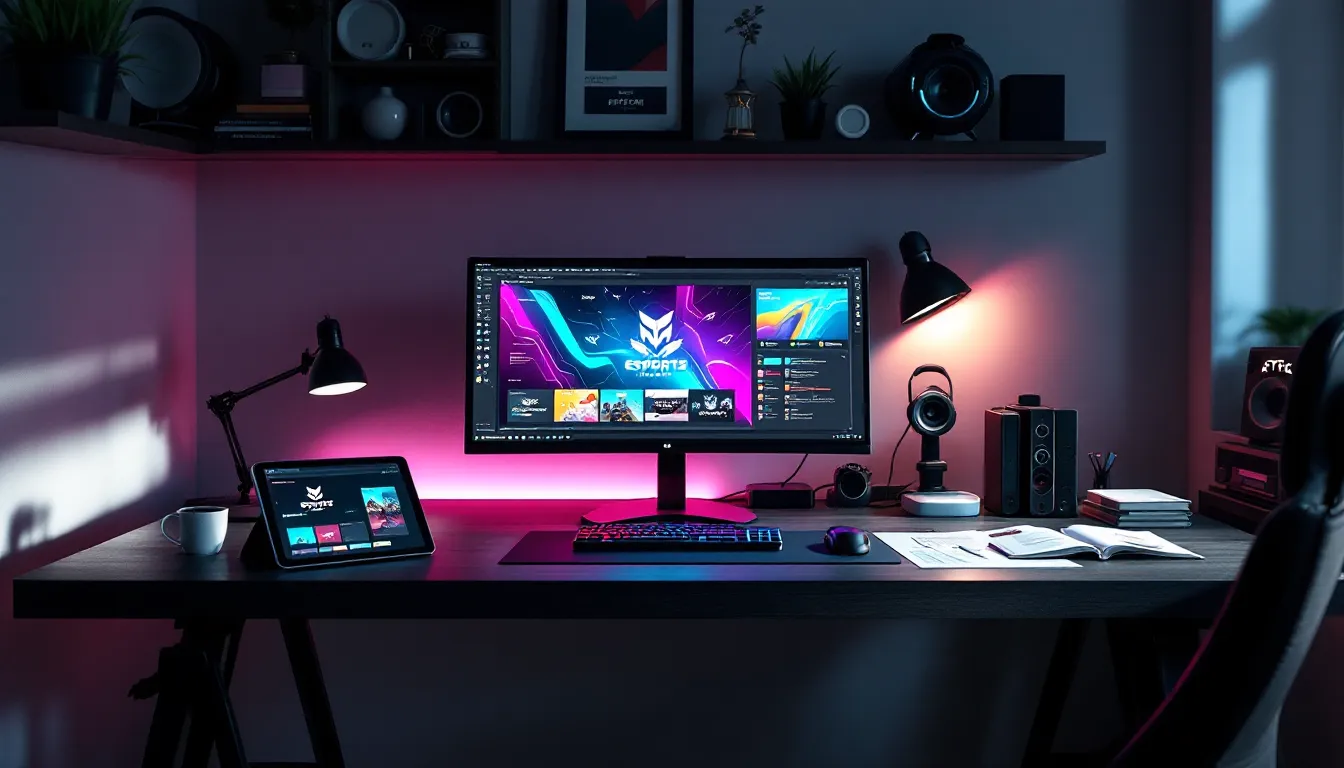
Your team just secured a playoff spot, and you’re ready to announce it on social media. You drop a generic text post or, worse, a blurry screenshot with Comic Sans slapped over it. Within minutes, it’s buried under a flood of polished, animated graphics from rival orgs that look like they hired a studio. That’s the power gap esports graphics create, and it’s wider than ever in 2026.
Whether you’re running a competitive roster, streaming to a growing audience, or organizing local tournaments, your visuals aren’t just decoration. They’re the first impression, the brand recall, and often the deciding factor between looking like a hobbyist operation and a legitimate contender. From team logos that echo across social feeds to broadcast overlays that keep viewers glued to your stream, graphics are the connective tissue between gameplay and identity.
This guide breaks down everything: the graphics you actually need, the design principles that separate amateurs from pros, the tools that won’t drain your wallet, and the 2026 trends already reshaping what “good” looks like. No fluff, no vague advice, just actionable intel for anyone serious about leveling up their visual game.
Key Takeaways
- Esports graphics serve as your primary brand differentiator and first impression across social media, streams, and events—a professional visual identity separates legitimate orgs from hobbyist operations.
- Essential esports graphics assets include team logos, stream overlays, social media templates, and broadcast packages; each requires strategic design tailored to specific platforms and audience contexts.
- Color palettes and typography in esports graphics must prioritize high contrast and readability over pure aesthetics, ensuring legibility on phones, streams, and compressed video across all viewing conditions.
- Professional design software like Adobe’s Creative Cloud offers maximum control for custom work, while beginner-friendly tools like Canva and Streamlabs provide template-based solutions that deliver 80% of results with minimal time investment.
- Avoid common mistakes in esports graphics design such as overcomplicated layouts, low-resolution assets, inconsistent branding, and failing to test designs in real streaming conditions where compression and platform UI elements affect visibility.
- Invest in professional designer services for foundational branding, broadcast-quality production, or high-stakes sponsorships; solo streamers starting out can leverage templates and DIY tools to build functional, on-brand visuals while bootstrapping.
What Are Esports Graphics and Why Do They Matter?
Esports graphics are the visual assets that represent teams, players, events, and content creators across competitive gaming. They range from static logos and social posts to animated overlays and full broadcast packages. Unlike traditional sports, where decades of brand equity carry weight, esports organizations build recognition almost entirely through digital visuals, often before a single match is played.
Think about the orgs that dominate mindshare: FaZe Clan, T1, G2 Esports. Their logos are instantly recognizable, their content feels cohesive, and their streams look broadcast-ready. That’s not accident, it’s intentional design work translating into brand value. In a space where rosters change seasonally and games rotate in and out of the meta, consistent visual identity is one of the few constants fans can latch onto.
For streamers, graphics serve dual duty: they establish professionalism and maximize screen real estate without cluttering gameplay. A well-designed overlay tells viewers who you are, who sponsors you, and what’s happening in chat, all while keeping the action front and center. Poorly executed graphics do the opposite: they distract, confuse, and signal that you’re not serious about growth.
The Role of Visual Identity in Competitive Gaming
Visual identity in esports functions like a jersey in traditional sports, but with far more flexibility and risk. A strong identity, built through consistent color palettes, typography, and iconography, creates instant brand recall across Twitter, Twitch, YouTube, and Discord. When fans see your team’s colors or logo style, they should know it’s you before reading a single word.
This matters for sponsorship acquisition, too. Brands invest in esports orgs that look legitimate and can deliver professional content. A polished media kit with high-quality graphics signals operational maturity. On the flip side, inconsistent or amateurish visuals raise red flags: if an org can’t manage its brand identity, can it manage a roster or deliver on sponsor obligations?
Competitive gaming also moves faster than traditional sports. A team might rebrand after a single season, a streamer might pivot games mid-year, or a tournament might need assets turned around in 48 hours. Visual identity has to be both strong enough to stick and flexible enough to adapt, a balance that’s harder to strike than it sounds.
Essential Types of Esports Graphics Every Team and Streamer Needs
Not all graphics are created equal. Some are foundational, you can’t function without them. Others are nice-to-haves that amplify reach or polish. Here’s the breakdown of what actually matters.
Team Logos and Brand Marks
Team logos are the cornerstone. They appear on jerseys, social headers, stream overlays, sponsor decks, and merch. A good logo works at every scale: recognizable as a 32x32px Discord icon and sharp on a 6-foot backdrop at LAN events.
Most successful esports logos lean into bold, geometric shapes with high contrast. They avoid fine details that blur at small sizes or get lost in motion. FaZe Clan’s angular wordmark, 100 Thieves’ Roman numeral mark, and Team Liquid’s horse icon all follow this principle. They’re simple, memorable, and versatile across colorways and backgrounds.
Your logo should also export cleanly in multiple formats: vector (SVG or EPS for print and scaling), PNG with transparency (for digital overlays), and monochrome versions (for single-color applications). If your designer hands you a single low-res JPEG, find a new designer.
Stream Overlays and Broadcast Packages
Stream overlays are the HUD of your personal broadcast. They frame your webcam, display recent subs and donations, show sponsor logos, and integrate chat or social feeds, all without obstructing gameplay. A full broadcast package typically includes:
- Starting soon / BRB / ending screens with animated elements or loops
- Webcam frames that match your brand’s aesthetic
- Alert animations for follows, subs, bits, and donations
- Lower thirds for displaying info like recent supporters or social handles
- Transition stingers to smooth cuts between scenes
The key is modular design. Your overlay should adapt to different games, aspect ratios, and streaming software (OBS Studio, Streamlabs, XSplit). Hardcoding elements or using fixed layouts locks you into a single setup and makes updates a nightmare.
In 2026, viewers expect overlays to be reactive, not just static frames. Integration with tools like StreamElements or Streamlabs allows real-time updates: sub goals, live follower counts, or game-specific stats pulled via API. Static overlays feel dated unless your content is retro-themed by design.
Social Media Graphics and Promotional Assets
Social media is where most fans interact with esports brands daily. Social graphics include:
- Announcement graphics for roster moves, match results, or sponsor deals
- Match day graphics showing opponents, time, and where to watch
- Quote cards highlighting player interviews or hype statements
- Recap graphics summarizing tournament runs or stream highlights
- Story templates optimized for Instagram, Twitter, and TikTok vertical formats
Consistency across these assets builds brand recognition faster than any single hero graphic. Use the same font hierarchy, color palette, and layout grids. Template-based workflows (more on those later) let you churn out announcements in minutes without sacrificing quality.
One often-overlooked asset: platform-specific headers and profile images. Twitter banners, YouTube channel art, and Discord server icons all need custom dimensions. A lazy crop of your logo on a random background wastes prime real estate.
Tournament Graphics and Event Branding
If you’re running or participating in tournaments, event graphics are non-negotiable. For tournament organizers, this means:
- Event logos and wordmarks that differentiate each season or iteration
- Bracket graphics for seeding, schedule, and playoff trees
- Player / team intro cards shown before matches
- Score bugs and on-screen graphics for live broadcasts
- Sponsor integration panels that rotate or display during downtime
For teams and players, tournament graphics often mean hype videos, roster reveals, or walkout visuals for LAN events. These are higher-effort, lower-frequency assets, but they deliver outsized impact. A well-timed hype video before a grand finals can rack up tens of thousands of views and set the tone for fan engagement.
Event branding also needs to scale across physical and digital: venue signage, lanyards, projection mapping, and stream assets all pull from the same visual system. If your tournament graphics look disjointed between Twitch and the main stage, the production feels amateurish no matter how clean the gameplay is.
Design Principles That Make Esports Graphics Stand Out
Technical chops with Photoshop or After Effects mean nothing if your fundamentals are off. Esports graphics live or die by three core principles: color, typography, and the balance between looking cool and staying functional.
Color Theory and Palette Selection for Gaming Brands
Color palettes in esports serve two purposes: brand differentiation and emotional resonance. Most successful orgs stick to 2-3 primary colors plus a neutral (black, white, or gray). This constraint forces cohesion and makes assets instantly recognizable.
High-contrast palettes dominate because they read well on streams, in motion, and against varied backgrounds. Neon accents (cyan, magenta, lime) on dark bases remain popular, but oversaturation is a trap. If every graphic is screaming at max brightness, nothing stands out. Use vibrant hues strategically, for CTAs, key info, or focal points, and let darker tones handle the heavy lifting.
Consider how colors translate across platforms and lighting conditions. What looks sharp on your calibrated monitor might wash out on a phone screen or under stage lights. Test your palette in multiple contexts: daylight, dark mode UI, and compressed video. Many esports coverage platforms showcase how professional teams adapt their branding for different media.
Avoid color choices that clash with the games you play. If your org is Valorant-focused and your brand uses the same red as the enemy outline, your graphics will visually fight your gameplay. Study the UI palettes of your primary titles and design around them, not against them.
Typography Choices That Command Attention
Typography in esports leans aggressive: bold weights, sharp angles, and often custom or heavily modified typefaces. But readability still trumps style. If viewers can’t parse a player name or match time in under two seconds, your font choice failed.
Sans-serif fonts dominate for a reason, they’re clean at small sizes and scale well across digital formats. Popular choices include Montserrat, Bebas Neue, Druk, and Gotham. Display fonts (the flashy, stylized ones) work for logos or hero text but become illegible in body copy or at reduced sizes.
Hierarchy matters. Your graphics should guide the eye: headline first, subhead second, supporting info third. Use size, weight, and color to enforce this order. If everything is bold and uppercase, nothing has priority, and the design feels like it’s shouting into the void.
Letter spacing (tracking) and line height also separate amateur work from pro. Tight tracking on uppercase headlines adds impact: too tight, and letters blur together on stream compression. Line height that’s too cramped makes text blocks unreadable. When in doubt, add slightly more space than feels necessary, viewers are often watching on phones or seeing graphics in motion.
Balancing Aesthetics with Functionality and Readability
The esports graphics graveyard is full of overlays that looked incredible in Behance portfolios but failed in actual use. Viewers need to parse info fast, who’s playing, what’s the score, when’s the next match. If your design prioritizes style over function, it’s a net negative.
Readability benchmarks:
- Key text (player names, scores, timers) should be legible at 720p on a 5-inch screen
- Contrast ratios of at least 4.5:1 between text and background (tools like WebAIM’s contrast checker help)
- No critical info placed in the corners or edges where platform UI elements (like Twitch’s viewer count) might cover them
Functionality also means respecting the gameplay window. A common mistake is designing overlays that intrude too far into the play area, especially in games with critical UI elements near the edges (MOBA minimaps, FPS ammo counters). Your webcam frame shouldn’t block the minimap in League of Legends. Your alert animations shouldn’t obscure crosshair placement in Valorant.
Test everything in context. Stream a few hours with your overlays live. Ask viewers, or brutally honest friends, if anything is distracting, unclear, or covering important info. Aesthetic appeal doesn’t matter if your graphics make the content harder to consume.
Best Software and Tools for Creating Esports Graphics
The right tool depends on your skill level, budget, and output needs. Here’s the current landscape in 2026, from industry-standard software to accessible alternatives.
Professional Design Software for Advanced Users
If you’re serious about graphics and have the time to learn, industry-standard tools deliver the most control and flexibility:
-
Adobe Photoshop: The go-to for static graphics, logos, social posts, overlays, and any raster-based work. Photoshop’s layer system, blending modes, and plugin ecosystem make it the standard for a reason. Monthly subscription starts at $22.99 for individuals.
-
Adobe Illustrator: Vector-based design for logos, icons, and anything that needs to scale infinitely without quality loss. Essential if you’re creating brand marks or assets for print (jerseys, banners, signage).
-
Adobe After Effects: Animation and motion graphics powerhouse. Used for alert animations, transition stingers, hype videos, and any overlay elements that move. Steeper learning curve than Photoshop, but the results justify the effort.
-
Figma: Browser-based design tool that’s exploded in popularity for UI/UX work and collaborative design. Great for templated workflows and real-time team collaboration. Free tier is generous: Pro plan is $12/month per editor.
Adobe’s Creative Cloud Suite (Photoshop, Illustrator, After Effects bundled) runs $59.99/month, expensive, but it’s the industry standard for a reason. Most professional designers and esports orgs use it exclusively. Performance benchmarks and GPU optimization guides from sources like DSOGaming often cover how to maximize Adobe software on gaming rigs.
Beginner-Friendly Tools and Templates
Not everyone has months to sink into learning After Effects. If you need decent graphics fast, these tools lower the barrier:
-
Canva: Drag-and-drop design with thousands of templates, including esports-specific packs. Ideal for social media graphics, quick announcements, and simple overlays. Free tier works for basics: Pro is $14.99/month and unlocks brand kits and premium assets.
-
Placeit by Envato: Template marketplace focused on mockups, logos, and gaming graphics. You customize pre-built designs by swapping text, colors, and images. Quality varies, but it’s fast. Subscription is $14.95/month.
-
Streamlabs Desktop: Built-in overlay editor specifically for streaming. Limited compared to Photoshop, but it’s free and integrates directly with your broadcast software. Good starting point for solo streamers testing the waters.
-
Nerd or Die Overlay Packages: Pre-built, animated overlay packs designed by esports content creators. They’re plug-and-play with OBS/Streamlabs and often include sound alerts and widgets. Pricing ranges from free (basic packs) to $50+ for premium bundles.
Template-based tools won’t deliver the same uniqueness as custom design, but they’ll get you 80% of the way there with 20% of the effort. If you’re a solo streamer or small team, that trade-off often makes sense.
Animation and Motion Graphics Tools
Static graphics are table stakes in 2026. Motion and animation separate the good from the great:
-
Adobe After Effects (already mentioned): Still the king for complex animation, but resource-intensive. Rendering can take hours on older hardware.
-
Cavalry: Newer motion design tool built for real-time work and procedural animation. Faster workflow than After Effects for certain tasks, especially generative or data-driven graphics. One-time license is $22/month or $200/year.
-
Blender: Open-source 3D software that’s become shockingly capable for motion graphics, not just modeling. Free, but the learning curve is steep. Increasingly used for 3D logo reveals and event intros.
-
LottieFiles: Create lightweight, scalable animations that work in web and mobile. Great for social media stickers or interactive elements. Free tier available: Pro is $20/month.
Hardware note: motion graphics work hammers your GPU and CPU. If you’re running animations while streaming, make sure your rig can handle both. Encoding gameplay at 1080p60 while rendering a live-animated overlay can choke mid-tier systems. Dual-PC setups or render farms are common for high-end production.
How to Create Professional Stream Overlays and Broadcast Graphics
Stream overlays are where design meets live production. They need to look sharp, integrate with your streaming software, and update dynamically. Here’s how to build them right.
Designing Webcam Frames and Alerts
Webcam frames serve as the visual anchor for your personal brand on stream. They should complement your game’s UI without competing for attention. Start with these steps:
-
Determine your webcam aspect ratio and placement. Most streamers use 16:9 or 4:3 cams positioned in a bottom corner. Measure your desired frame size in pixels (e.g., 480×360 for a 4:3 cam).
-
Design with padding. Your frame graphic should extend beyond the webcam feed, usually 20-40px on all sides, to create visual separation from gameplay.
-
Add subtle branding. Small logo placement, a nameplate, or accent colors tie the frame to your overall identity. Don’t overdo it, your face is the focal point, not the frame.
-
Export as PNG with transparency. The area inside the frame (where your webcam shows through) should be fully transparent. Most streaming software lets you layer the frame over your camera source.
Alert animations (follows, subs, donations, bits) are higher-effort but massively rewarding. They reward viewer engagement with a visual payoff. Best practices:
- Keep alerts under 5-8 seconds. Longer animations interrupt flow and pile up during busy streams.
- Use sound design. The audio cue is often more important than the visual. Make sure your sound effect matches the animation’s energy.
- Tier your alerts. A $5 donation shouldn’t have the same animation as a $500 one. Scale complexity and duration to match the contribution.
- Test for spam resilience. What happens if ten alerts trigger in a row? Your stream shouldn’t freeze or become unwatchable.
Tools like StreamElements and Streamlabs offer alert editors with built-in animations. For custom work, design in After Effects, export as WebM (with alpha channel for transparency), and upload to your alert platform.
Integrating Sponsor Logos Without Sacrificing Design
Sponsor integration is a balancing act. You need to deliver visibility without turning your stream into a NASCAR jacket. Here’s the approach that works:
-
Establish a sponsor zone. Dedicate a specific area of your overlay (commonly a bottom or side bar) for rotating sponsor logos. This keeps them visible but contained.
-
Match sponsor logos to your style. If a sponsor provides a full-color logo that clashes with your palette, ask for a monochrome or white version. Most brands have alternate lockups for this reason.
-
Rotate, don’t stack. If you have 3+ sponsors, rotate them on a timer (15-30 seconds per logo) rather than cramming them all on-screen. StreamElements and similar tools support timed rotations.
-
Prioritize hierarchy. Title sponsors get more screen time or larger placement. Secondary sponsors rotate through smaller slots. This aligns with contract value and sponsor expectations.
-
Transparency with viewers. A small “Sponsored by” or “Partner” label keeps things honest and professional. Viewers respect transparency: they resent hidden ads.
Physical sponsor integration, like a banner behind you or branded gear, also counts. Coordinate your physical and digital branding so they don’t clash. If your overlay uses dark tones and your backdrop has neon lights, the visual discord distracts viewers.
Trends Shaping Esports Graphics in 2026
Esports graphics evolve fast, driven by technology, platform changes, and cultural shifts within gaming. Here’s what’s dominating in 2026 and what’s on the rise.
3D Elements and Immersive Visual Effects
3D graphics have gone from novelty to expectation for top-tier orgs and events. Logo reveals, player intros, and stage visuals increasingly use real-time 3D rendering engines like Unreal Engine 5 or Unity. The result: cinematic quality that used to require film production budgets, now achievable with a capable GPU and design skills.
Real-time rendering also enables interactive graphics. Some broadcasts integrate live match data into 3D environments, imagine a live-updated scoreboard floating in a virtual arena that mirrors the in-game map. Tools like Unreal’s Pixel Streaming let creators push these experiences directly to web or stream.
Accessibility is improving, too. Platforms like Spline and Vectary offer browser-based 3D design, lowering the entry barrier. Pre-built 3D asset libraries (Sketchfab, TurboSquid) mean you don’t need to model from scratch. Still, rendering 3D graphics in real-time while streaming is hardware-intensive. Expect this trend to remain high-end unless cloud rendering becomes more accessible.
Minimalist Design vs. Bold Maximalism
The esports design world is split between two camps, and both are thriving.
Minimalism strips graphics to essentials: clean lines, ample negative space, restrained color palettes, and type-forward layouts. This approach prioritizes function and elegance. It’s favored by orgs targeting premium sponsorships or mainstream crossover appeal (think 100 Thieves’ streetwear-adjacent aesthetic). Minimalist overlays keep viewers focused on gameplay and reduce visual fatigue during long streams.
Maximalism, on the other hand, leans into excess: heavy textures, neon gradients, layered effects, animated glitches, and hyper-detailed illustrations. It’s loud, energetic, and unapologetically gaming-centric. This style resonates with younger audiences and games with chaotic, high-energy vibes (battle royales, arena shooters). Publications covering competitive gaming trends, such as WCCFtech, often highlight how hardware advancements enable these more complex visual styles.
Neither is objectively better, it depends on your brand and audience. A Valorant esports org might lean minimalist to echo the game’s clean UI. A variety streamer might go maximalist to stand out in a crowded directory. The key is commitment: half-hearted minimalism looks unfinished, and restrained maximalism just looks messy.
AI-Powered Design Assistance and Automation
AI tools are rapidly changing how esports graphics get made, though not always in the ways hyped by tech companies.
Generative AI (Midjourney, DALL·E, Stable Diffusion) can produce concept art, background elements, or stylistic references. Some designers use AI to generate texture packs, abstract backgrounds, or initial logo concepts, then refine them manually. It’s faster than starting from a blank canvas, but fully AI-generated graphics still lack the polish and brand coherence needed for professional use.
Automation tools are more immediately useful. Platforms like Bannerbear or Placid auto-generate graphics from templates using data inputs, perfect for match day graphics that pull team names, scores, and logos from a spreadsheet. What used to take 30 minutes per graphic now takes 30 seconds.
AI-assisted design tools within established software are subtler but powerful. Adobe Firefly (integrated into Photoshop) offers generative fill, background removal, and smart object selection. These features don’t replace skill, they just speed up tedious tasks, letting designers focus on creative decisions instead of pixel-perfect masking.
The risk: over-reliance on AI leads to homogenization. When everyone’s using the same Midjourney prompts or Canva templates, everything starts looking the same. Smart designers use AI as a tool in the kit, not the entire process.
Common Mistakes to Avoid When Designing Esports Graphics
Even experienced designers stumble into these traps. Here’s what to watch for:
Overcomplicating layouts. More elements ≠ better design. Beginners cram every available pixel with text, logos, patterns, and effects. The result is visual noise. Simplify ruthlessly. Every element should earn its place by serving a function or enhancing the core message.
Ignoring safe zones and aspect ratios. Different platforms crop images differently. Twitter cuts off the sides of horizontal images in timelines. Twitch overlays need to account for the platform’s UI elements. Instagram Stories require vertical formats. Design with platform-specific templates and test how your graphics display on mobile, desktop, and in-feed vs. full-screen.
Using low-resolution assets. Stretching a 500px logo to fill a 1920×1080 canvas produces blurry, pixelated garbage. Always work from vector files or high-res source images. If a sponsor or partner sends you a tiny JPEG logo, ask for a vector version (AI, EPS, or SVG).
Inconsistent branding. Your logo shouldn’t change colors every week unless it’s a deliberate rebrand. Consistent fonts, colors, and layout structures build recognition. Random stylistic shifts confuse audiences and dilute brand equity.
Neglecting accessibility. Low-contrast text alienates viewers with visual impairments or anyone watching on a dim phone screen. Color-only information (like red vs. green indicators) fails for colorblind viewers. Use patterns, shapes, or labels plus to color to convey info.
Chasing trends blindly. If everyone’s doing glitch effects or holographic gradients, jumping on the bandwagon makes you look derivative, not current. Trends are fine as seasoning, but your core identity should be timeless enough to outlast the hype cycle.
Not testing in real conditions. A static PSD looks great. But how does it perform at 6000kbps stream bitrate with compression artifacts? How does it read when someone’s watching on a phone during a commute? Export, compress, view on multiple devices, and iterate based on actual viewing conditions.
Forgetting file organization. As your asset library grows, a messy folder structure becomes a productivity killer. Name files clearly (“Logo_Primary_White_PNG.png”), use version control (“Overlay_v3_final” not “Overlay_FINAL_FINAL_USE_THIS”), and keep source files (PSDs, AIs) organized separately from exports.
Hiring a Designer vs. Creating Your Own Esports Graphics
The classic build-or-buy dilemma. Both paths have merits depending on your situation, budget, and growth trajectory.
When to Invest in Professional Design Services
Hire a designer when:
You’re building a brand from scratch. Foundational assets, logo, color palette, typography system, set the tone for everything else. A professional designer ensures these elements are scalable, versatile, and strategically sound. Expect to pay $500-$3,000 for a full brand identity package from a mid-tier freelancer, more for established studios.
You need broadcast-quality production. If you’re running tournaments, competing at high levels, or courting major sponsors, amateur graphics are a liability. Professional designers understand technical specs, platform requirements, and sponsor integration in ways that template users don’t. Budget $1,500-$5,000+ for full broadcast packages (overlays, alerts, transitions, lower thirds, etc.).
Your time is worth more than the cost. If learning Photoshop means 40+ hours of tutorials and trial-and-error, and you could spend that time practicing, creating content, or securing sponsors, outsourcing makes financial sense. Calculate your hourly value and compare it to designer rates ($30-$150/hour depending on experience).
You want something truly unique. Templates and DIY tools produce functional results, but they rarely produce memorable ones. If brand differentiation is critical, if you’re competing for attention in a saturated niche, custom design is an investment, not an expense.
Where to find designers:
- Freelance platforms: Fiverr (budget), Upwork (mid-tier), Dribbble/Behance (high-end)
- Esports-specific design studios: Many specialize in gaming graphics and understand the space
- Designer communities: Twitter, Discord servers, Reddit’s r/esportslogos or r/graphic_design
Vet portfolios carefully. Look for work that matches your desired style, check client reviews, and start with a small paid test project before committing to a full package.
Budget-Friendly DIY Approaches for Solo Streamers
Go DIY when:
You’re just starting and budget is tight. There’s no shame in using Canva templates or free OBS overlays while you find your footing. Viewers care more about your personality and gameplay than perfect graphics at the start. Invest in design once you have proof of concept and some revenue.
You enjoy the creative process. Some streamers love designing their own brand. If you get energy from learning design tools and iterating on your visuals, DIY can be fulfilling and a point of connection with your audience (“I made this overlay myself.”).
You need constant iteration. Solo streamers often experiment with formats, games, and branding. If you’re rebranding every few months, paying for custom work each time gets expensive. Template-based workflows let you pivot fast.
Your brand is intentionally lo-fi. Some aesthetics, retro, vaporwave, deliberately DIY, benefit from imperfect or handmade graphics. Hiring a pro might actually work against the vibe you’re going for.
DIY resources to start:
- Free overlay packs from Nerd or Die, OWN3D, or Streamlabs
- YouTube tutorials for basic Photoshop or Canva techniques (channels like Satori Graphics or Will Paterson cover fundamentals)
- Free fonts from Google Fonts or DaFont (though licensing varies, read terms)
- Free stock assets from Unsplash, Pexels, or Freepik (again, check licenses)
Set realistic expectations. DIY graphics won’t rival professional work initially, but they can be clean, functional, and on-brand with effort. Focus on consistency and readability over complexity.
Conclusion
Esports graphics aren’t optional decoration, they’re the visual language that defines your brand, connects with audiences, and signals professionalism to sponsors and collaborators. Whether you’re a solo streamer refining your overlay, a competitive team building an identity from scratch, or a tournament organizer delivering broadcast-quality production, the principles stay the same: clarity over clutter, consistency over novelty, and function married to form.
The tools have never been more accessible. Template libraries, AI-assisted workflows, and beginner-friendly software lower the barrier to entry. At the same time, the ceiling keeps rising, real-time 3D, motion graphics, and interactive elements push what’s possible for those willing to invest time or budget. The gap between amateur and professional work is wide, but it’s crossable with intention and iteration.
Start with the essentials: a solid logo, clean overlays, and consistent social templates. Test everything in real conditions, on stream, on mobile, under compression. Get feedback, iterate, and don’t be afraid to invest in professional help when the stakes justify it. Your visuals are working 24/7, across every platform and interaction. Make them count.