
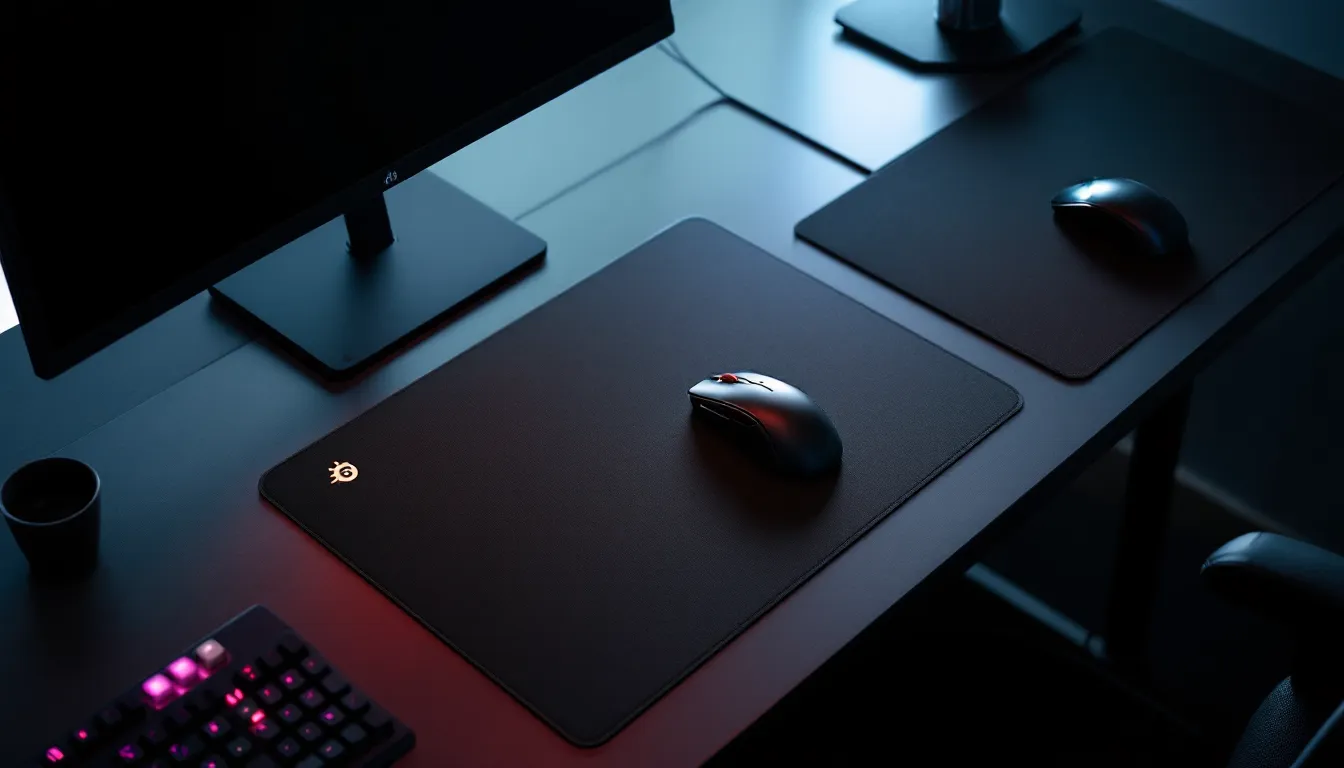
The SteelSeries QcK has been a fixture on desks since 2004, and that longevity alone tells a story. In an industry where gear gets cycled out faster than battle pass seasons, the QcK has survived multiple generations of mice, sensor technologies, and shifting competitive metas. But surviving isn’t the same as thriving, especially in 2026, when competitors have caught up and mousepad innovation has pushed beyond simple cloth surfaces.
This review digs into why the QcK remains a staple for casual and competitive players alike, what the different models actually offer, and whether this legacy pad still deserves a spot on your desk. Whether you’re chasing frames in Valorant, grinding ranked in League, or just tired of your mouse skipping on a $5 office pad, here’s everything you need to know about the QcK series.
Key Takeaways
- The SteelSeries QcK gaming mouse pad delivers balanced speed and control across genres, making it an ideal choice for both competitive FPS and MOBA players without forcing a specific playstyle.
- At $14.99 for the QcK+ model, this classic mousepad offers exceptional value compared to premium alternatives like the Artisan Zero, with proven compatibility across modern optical sensors.
- The QcK’s main durability concern is fraying edges on non-stitched models after 8-12 months of heavy use; upgrading to the QcK Edge variant adds longevity for just $5-7 more.
- Regular cleaning through gentle machine washing or hand-washing extends the SteelSeries QcK’s lifespan and maintains consistent glide performance, with most heavy users replacing pads every 9-12 months.
- While the QcK lacks cutting-edge features like water resistance and anti-microbial coatings found in 2026 competitors, its two-decade design heritage ensures predictable tracking and wide desk compatibility.
- The QcK Heavy (6mm thickness) is worth the $29.99 investment over the standard 2mm models if you game for extended sessions or have an uneven desk surface, offering improved wrist comfort and stability.
What Makes the SteelSeries QcK Series Stand Out
The QcK’s appeal isn’t flashy. There’s no RGB (unless you opt for the Prism), no hardshell coating, and no exotic materials. What it does offer is a micro-woven cloth surface that’s been refined over two decades, designed to balance speed and control without leaning hard into either extreme.
That middle-ground philosophy has made it a default choice for players who don’t want their mousepad dictating their playstyle. It’s consistent, predictable, and works across a wide range of mice and sensors without introducing tracking quirks.
Surface Technology and Tracking Performance
The QcK cloth surface uses a tightly woven polyester fabric that provides low initial friction and minimal resistance across the pad. Unlike hard pads that can feel slick or hybrid surfaces that introduce texture variance, the QcK delivers uniform glide from edge to edge.
Tracking accuracy is excellent with modern optical sensors. The cloth weave is dense enough to avoid pixel skipping even at high DPI settings (3200+), and there’s no sensor spin-out during fast flicks. SteelSeries designed the surface to work with both laser and optical mice, though optical sensors, especially newer PixArt and HERO models, pair best with the cloth texture.
One underrated benefit: the surface doesn’t change drastically with humidity or temperature. Some pads get noticeably faster or slower depending on room conditions, but the QcK stays stable. That consistency matters for muscle memory, especially if you’re grinding aim trainers or playing in environments without climate control.
The trade-off? The surface isn’t as fast as hard pads or hybrid options like the Artisan Hien. If you’re used to ultra-low friction surfaces, the QcK will feel slightly more controlled, but that’s by design. It’s built for players who value stopping power and micro-adjustments over pure speed.
Build Quality and Durability Over Time
The QcK uses a non-slip rubber base that grips wood, laminate, and most desk surfaces without sliding during aggressive swipes. The grip is solid, even on glass desks, though you’ll want to clean the surface first to avoid micro-movements.
Durability is a mixed bag. The cloth surface holds up well under daily use, but it’s not immune to wear. After 6-12 months of heavy play, you’ll start seeing slight texture changes in high-traffic zones (usually the center area where your wrist and mouse converge). This doesn’t kill tracking, but it can create minor inconsistencies in glide feel.
Edge stitching is only present on specific models (QcK Edge, QcK Prism). The base QcK and QcK+ lack stitched edges, which means fraying is a real possibility if you’re rough with the pad or frequently bump the edges. This is the most common failure point, edges start peeling after 8-12 months for aggressive users.
The QcK Heavy and stitched variants handle wear better. The extra thickness (6mm vs 2mm) and reinforced edges add months to the lifespan, making them better long-term investments if you’re planning to use the pad for a year or more without replacement.
One durability advantage: the QcK is machine washable (more on that later). Unlike coated pads that degrade with cleaning, the QcK can be revived after spills or grime buildup without losing its core performance characteristics.
SteelSeries QcK Model Breakdown: Which Version Is Right for You
SteelSeries offers several QcK variants, and the differences go beyond size. Thickness, edge treatment, and features like RGB create distinct performance profiles. Here’s how they stack up.
QcK vs QcK+ vs QcK Heavy: Size and Thickness Comparison
The QcK (standard) measures 320mm x 270mm, roughly the size of a sheet of printer paper. It’s compact, budget-friendly ($9.99 as of March 2026), and fine for medium-to-high sensitivity players who don’t need massive swipe room. Thickness is 2mm, which is thin enough to feel the desk texture underneath if you’re on an uneven surface.
The QcK+ expands to 450mm x 400mm, giving low-sens FPS players the real estate they need for full arm sweeps. At $14.99, it’s the most popular variant, common enough that you’ll see it in tournament player cams and streaming setups. Thickness stays at 2mm, so it’s still a relatively flat profile.
The QcK Heavy keeps the QcK+ dimensions (450mm x 400mm) but bumps thickness to 6mm. That extra cushion does two things: it evens out desk imperfections (useful if you’re gaming on a cheap table or uneven surface), and it adds wrist comfort during long sessions. The thicker base also reduces movement, the Heavy doesn’t budge, even during hard flicks. Priced at $29.99, it’s double the cost of the QcK+ but worth it if you want a premium feel without leaving the cloth category.
All three models use the same surface texture, so tracking and glide are identical. The choice comes down to space, budget, and whether you value that extra thickness.
QcK Edge and QcK Prism: Premium Features Worth the Upgrade
The QcK Edge (available in Medium and XL sizes) adds stitched borders to prevent fraying. It’s a small upgrade, but it matters if you’ve had a standard QcK fall apart on you. The surface and base are unchanged, so you’re paying $5-$7 extra purely for longevity. For most players, this is the better buy than the base model, frayed edges are annoying, and the Edge fixes that weak point.
The QcK Prism is the RGB version. It features customizable lighting zones (12 zones, ARGB compatible) synced via SteelSeries Engine software. The lighting is bright, even, and doesn’t bleed through the cloth surface in a distracting way. It’s pure aesthetic, there’s no performance benefit, but if you’re building a color-coordinated setup, the Prism integrates cleanly with other SteelSeries gear.
One caveat: the Prism uses a micro-USB cable for power and RGB control, which adds desk clutter. The cable is detachable, but you’ll need to manage routing. At $59.99 (as of 2026), it’s a tough sell unless RGB is a non-negotiable for your setup. The tracking surface is identical to the standard QcK, so you’re paying a premium for lights, not performance.
There’s also a QcK Prism Cloth XL, which combines RGB with the larger QcK+ footprint. It’s $69.99, aimed at players who want both extended size and lighting. Again, performance is the same, just more RGB flex.
Performance Across Gaming Genres
The QcK’s balanced surface works across genres, but its strengths and weaknesses shift depending on what you’re playing. Here’s how it handles different game types in 2026.
FPS and Competitive Shooters: Precision and Speed
In tac shooters like Valorant, CS2, and Rainbow Six Siege, the QcK excels at micro-adjustments. The controlled glide makes it easier to land on heads during small corrections, and the stopping power helps with tap-fire accuracy. Many professional FPS players still run QcK variants, particularly the QcK+ and Heavy, because the surface doesn’t fight you during flicks or tracking.
For fast-paced arena shooters (Quake Champions, Diabotical) or aggressive entry fraggers in Apex Legends and The Finals, the QcK can feel slightly sluggish. It’s not a dealbreaker, but if you’re used to speed pads (Artisan Raiden, Skypad), the QcK’s friction becomes noticeable. You’ll need to apply a bit more force to get the same swipe distance, which can fatigue your arm during extended play.
TTK (time to kill) in these games rewards speed and snap aim, so some players opt for hybrid or hard pads to shave milliseconds off target acquisition. The QcK doesn’t cater to that playstyle, it’s built for controlled aggression, not raw speed.
That said, the QcK’s consistency is a huge asset in ranked grinds. You’re not dealing with variance or “dead zones” where glide changes. Muscle memory builds faster when the surface behaves the same way every match.
MOBAs, Strategy Games, and MMOs: Control and Consistency
For games that rely on precise cursor placement, League of Legends, Dota 2, StarCraft II, Final Fantasy XIV, the QcK is near-perfect. The controlled surface makes it easy to land skillshots, select units, and navigate UI elements without overshooting.
MOBA players tend to use higher DPI settings (1600-3200) with lower in-game sens, and the QcK handles this range without introducing jitter or pixel skipping. The cloth texture provides enough feedback to know where your cursor is without looking, which helps during chaotic teamfights or micro-heavy RTS sequences.
The QcK+ size is ideal here, you get enough room for sweeping camera movements in RTSs without needing a full desk mat. The standard QcK works fine if you’re playing at higher DPI with minimal mouse travel, but the extra space on the QcK+ adds comfort.
One overlooked benefit for MMO players: the cloth surface is quiet. Hard pads can create audible scraping during long sessions, which gets annoying during voice chat or streaming. The QcK is nearly silent, even during rapid cursor movements.
Mouse Compatibility: Optical vs Laser Sensors
The QcK was originally designed during the era of laser sensors, but it’s actually better suited to modern optical sensors. Laser mice (now rare in gaming) can over-track on cloth surfaces, leading to slight jitter or acceleration artifacts. Optical sensors, especially PixArt 3360, 3370, 3395, and Logitech HERO variants, pair perfectly with the QcK’s woven texture.
If you’re running an older laser mouse (like legacy Logitech G500s or early Razer models), you might notice minor inconsistencies. Switching to an optical mouse resolves this. In 2026, most gaming mice use optical sensors anyway, so compatibility is rarely an issue.
One sensor quirk: some ultra-lightweight wireless mice with lower LOD (lift-off distance) settings can occasionally lose tracking if you lift the mouse too aggressively on the QcK. This is more common on worn pads where the texture has flattened. Adjusting LOD via software (if your mouse supports it) fixes this.
How the QcK Surface Affects DPI and Sensitivity Settings
The QcK’s friction profile sits in the medium range, meaning it doesn’t inherently push you toward high or low sensitivity. That said, it pairs best with low-to-medium eDPI setups (effective DPI: in-game sens × mouse DPI).
For example, in Valorant (where pros average 250-350 eDPI), the QcK provides enough control to land headshots without feeling sluggish. Players running ultra-low eDPI (sub-200) will need the QcK+ or larger to avoid running out of mousepad during 180° turns.
High-sens players (500+ eDPI in tac shooters, or wrist-aim styles) can use the standard QcK without issues. The friction helps prevent overflicking, which is a common problem on speed pads at high DPI.
One adjustment: if you’re switching from a speed pad to the QcK, you may need to increase your DPI by 100-200 to compensate for the added friction. The stopping power is great for precision, but it does require slightly more physical effort to move the mouse the same distance. Conversely, players coming from control pads (Zowie G-SR, Equate) will find the QcK slightly faster and may want to drop DPI by 100-200.
The QcK doesn’t introduce acceleration or angle snapping, so your sensitivity curve stays linear. What you set in software is what you get on the pad.
Maintenance and Cleaning: Extending Your QcK’s Lifespan
The QcK’s cloth surface picks up grime, skin oils, and dust over time. Left uncleaned, this buildup creates friction variance, your mouse will feel slower in high-traffic areas and faster near the edges. Regular maintenance keeps performance consistent.
Proper Washing Techniques Without Damaging the Fabric
The QcK is machine washable, but there’s a right way to do it. Toss it in on a gentle or delicate cycle with cold water. Use mild detergent, avoid bleach or fabric softeners, as they can break down the rubber base or alter the cloth texture.
If you’re hand-washing (safer for longevity), fill a tub or sink with lukewarm water and a small amount of detergent. Submerge the pad, gently scrub with a soft brush or cloth (focus on the center area where most wear occurs), then rinse thoroughly. Don’t twist or wring the pad, this can warp the rubber base.
Drying is critical. Air dry flat, never use a dryer, as heat can shrink the cloth or melt the rubber base. Lay it on a towel or hang it over a rack, but avoid direct sunlight (UV can fade the logo and degrade materials). It’ll take 12-24 hours to fully dry.
How often should you wash? Depends on usage. If you’re playing 4+ hours daily, once a month keeps it fresh. Casual players can stretch to every 2-3 months. If the surface feels noticeably stickier than when new, it’s time.
Dealing With Fraying Edges and Wear Patterns
On non-stitched QcK models (standard, QcK+, Heavy without Edge treatment), fraying edges are inevitable. Once it starts, you can slow the damage by trimming loose threads with scissors, don’t pull them, as that accelerates unraveling.
Some players apply a thin line of fabric glue or clear nail polish along the edge to seal it. This works short-term but can make the edge feel stiff. If fraying bothers you, upgrading to the QcK Edge or just replacing the pad is the cleaner solution.
Wear patterns in the center (where the surface gets slightly smoother or shinier) are harder to fix. Washing helps remove oils, but it won’t restore the original texture. Once you notice inconsistent glide between the center and edges, it’s a sign the pad is near end-of-life. Most heavy users replace their QcK every 9-12 months: casual players can stretch it to 18-24 months.
QcK vs Competitors: How It Stacks Up in 2026
The mousepad market has evolved significantly since the QcK launched. Competitors have introduced hybrid surfaces, premium fabrics, and hard pads that challenge the QcK’s dominance. Here’s how it compares to top alternatives in 2026.
QcK vs Razer Gigantus and Logitech G640
The Razer Gigantus V2 is the QcK’s closest rival. It uses a textured cloth surface that’s slightly faster than the QcK, with a bit more initial friction but less resistance during sustained swipes. The Gigantus V2 has stitched edges across all models, which gives it a durability edge over the base QcK.
Performance-wise, the Gigantus V2 favors speed over control, it’s better for players who want a faster cloth pad without jumping to hybrid or hard surfaces. The QcK offers tighter stopping power, making it better for precision-heavy games. Price is comparable ($14.99 for the Gigantus V2 XL vs $14.99 for the QcK+), so the choice comes down to whether you prioritize speed (Gigantus) or control (QcK).
The Logitech G640 is another direct competitor. It’s softer than the QcK, with a slightly plush feel that some players love for wrist comfort. Tracking is excellent with Logitech mice (especially HERO sensor models), but the surface wears faster than the QcK, you’ll see texture degradation around the 6-month mark with heavy use.
The G640 is also prone to curling edges if not stored flat, which is annoying. The QcK’s rubber base keeps it flatter over time. Price-wise, the G640 runs $39.99 for the large version, making it pricier than the QcK+ without offering clear performance advantages. Unless you’re deep in the Logitech ecosystem, the QcK is the better value.
Value for Money: Budget Excellence or Overrated Classic
At $14.99, the QcK+ is one of the best-value pads you can buy in 2026. It’s not the absolute best in any category, speed, control, durability, but it’s above-average in all of them. That versatility makes it a safe pick for players who don’t want to gamble on boutique pads or niche surfaces.
Compared to premium options like the Artisan Zero ($50+) or LGG Saturn ($34.99), the QcK loses on durability and surface refinement. The Artisan Zero, for example, uses higher-quality stitching and a more consistent weave that lasts 2+ years. But the Zero costs 3x more, which is hard to justify unless you’re chasing marginal gains.
For budget-conscious players, the QcK punches well above its price. You’re getting a pad that’s been tested and refined over two decades, with wide compatibility and predictable performance. It’s not flashy, but it works, and in a market flooded with overengineered gear, that reliability has value.
That said, the QcK’s lack of innovation is starting to show. Competitors have introduced features like water resistance, anti-microbial coatings, and hybrid surfaces that extend lifespan and improve performance. SteelSeries hasn’t meaningfully updated the QcK’s core design in years, which makes it feel dated next to 2026 releases.
If you’re buying purely on performance-per-dollar, the QcK+ remains a top-tier choice. If you want cutting-edge materials or features, you’ll need to look elsewhere.
Pros and Cons: The Honest Assessment
Pros:
- Balanced surface: Medium speed and control works across genres without forcing a playstyle
- Wide sensor compatibility: Pairs flawlessly with modern optical mice: no tracking quirks
- Budget-friendly: QcK+ offers excellent value at $14.99: standard QcK is under $10
- Consistent tracking: No dead zones, acceleration, or texture variance from edge to edge
- Machine washable: Can be cleaned and revived without permanent damage
- Multiple size options: From compact (320mm) to XL (450mm) to fit any desk and sensitivity range
- Proven reliability: Two decades of refinement: widely used in competitive settings
Cons:
- Fraying edges (non-stitched models): Base QcK and QcK+ lack edge reinforcement, leading to unraveling after 8-12 months
- Surface wear over time: Center area shows texture degradation after 6-12 months of heavy use
- Not the fastest cloth pad: Players coming from speed pads will find it slightly sluggish
- Thin profile (2mm models): Standard and QcK+ can feel desk imperfections: Heavy fixes this but costs more
- No premium features: Lacks water resistance, anti-microbial coating, or modern materials found in 2026 competitors
- Limited innovation: Core design hasn’t evolved in years: feels dated next to newer releases
- RGB model overpriced: QcK Prism costs $59.99+ for lighting that doesn’t improve performance
The QcK’s strengths lie in consistency and value. Its weaknesses are mostly about longevity and the lack of premium features. For most players, the pros outweigh the cons, but if you’re chasing absolute best-in-class, there are better (and pricier) options.
Who Should Buy the SteelSeries QcK in 2026
The QcK makes the most sense for a few specific profiles:
Budget-conscious players who need a reliable pad without spending $30-50. The standard QcK ($9.99) and QcK+ ($14.99) deliver performance that rivals pads twice the price. If you’re building a setup on a tight budget, the QcK+ is one of the safest picks.
First-time gaming pad buyers who don’t know their preference yet. The QcK’s balanced surface is a neutral starting point, it won’t push you toward speed or control extremes, letting you figure out what feels right before investing in specialty pads.
Competitive FPS players who value micro-adjustments and stopping power over raw speed. If you’re grinding Valorant, CS2, or Rainbow Six Siege at low-to-medium eDPI, the QcK+ or Heavy will serve you well. Many players featured in esports tournament coverage still use QcK variants for this exact reason.
MOBA and RTS players who need precise cursor control. The cloth surface is ideal for landing skillshots, managing units, and navigating UI without overshooting. The QcK+ size gives you room for camera sweeps without dominating your desk.
Players who replace pads annually and don’t want to overspend. If you’re fine with swapping out a mousepad every 9-12 months, the QcK’s lower price makes frequent replacement less painful than buying a $50 pad that lasts twice as long.
Who should skip it? Players who want cutting-edge features (water resistance, hybrid surfaces, extended lifespans), ultra-speed enthusiasts, or anyone chasing absolute best-in-class performance. If you’re willing to spend $40-60, options like the Artisan Zero, LGG Saturn, or even premium hardware reviewed by industry experts offer tangible upgrades in durability and refinement.
But for the majority of players, especially those who value consistency, compatibility, and cost-effectiveness, the QcK remains a smart buy in 2026.
Conclusion
The SteelSeries QcK hasn’t reinvented itself, and that’s both its strength and limitation. In a market chasing innovation, the QcK offers something rarer: predictability. It’s the same reliable surface it was a decade ago, refined just enough to stay relevant without chasing trends.
For competitive players who need a pad that doesn’t introduce variables, the QcK delivers. For casual gamers on a budget, it’s one of the best values available. But for enthusiasts chasing peak performance or premium features, the QcK feels like a safe choice rather than an exciting one.
If you’re looking for a mousepad that works across genres, pairs with any modern mouse, and won’t expensive, the QcK+ or Heavy are still solid picks in 2026. Just don’t expect it to wow you, expect it to work, every time.