
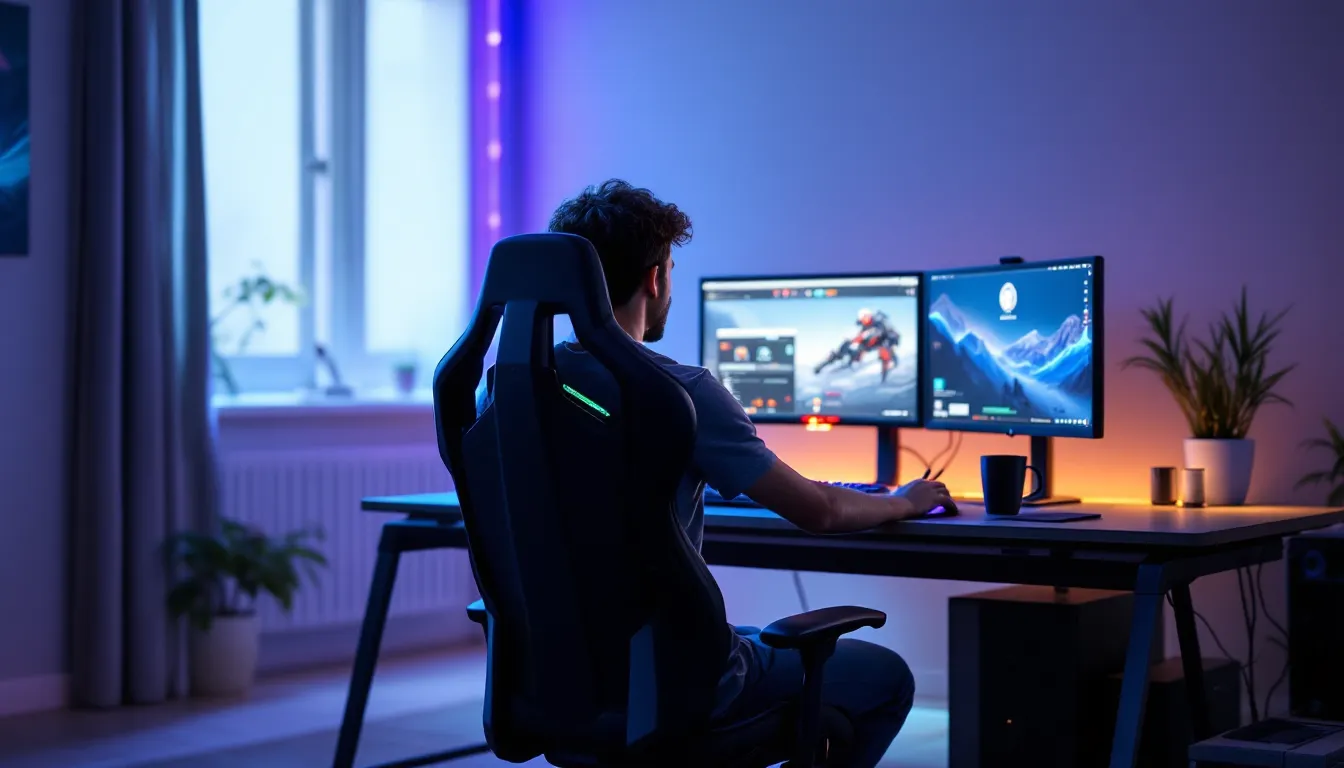
Your KD ratio isn’t the only thing suffering when you’re hunched over your desk at 2 AM grinding ranked. Bad gaming posture is one of those things every gamer knows they should fix but keeps putting off, until the neck pain becomes unbearable or your reaction times start slipping. The truth is, how you sit during those marathon sessions affects more than just your spine. It impacts your performance, your health, and whether you can still game comfortably in five years.
In 2026, with competitive gaming more demanding than ever and streamers regularly pulling 12-hour sessions, posture has gone from a “nice to have” concern to a legitimate performance issue. Pro players are getting sidelined by repetitive strain injuries. Casual gamers are developing chronic pain in their twenties. And yet, most setups are still optimized for aesthetics over ergonomics. This guide breaks down exactly what bad posture looks like, why it’s wrecking your game, and how to fix it across PC, console, and mobile platforms.
Key Takeaways
- Bad gaming posture—including forward head position, rounded shoulders, and edge-sitting—directly reduces oxygen intake, limits arm mobility, and measurably decreases reaction time and accuracy during gameplay.
- Poor posture can lead to chronic conditions like cervical spine degeneration and repetitive strain injuries, with musculoskeletal issues accounting for nearly 40% of reported problems among professional esports players.
- Optimal gaming posture requires proper chair height, monitor positioned at eye level about 20–30 inches away, elbows at 90 degrees, and lumbar support that encourages natural backrest use rather than forward slouching.
- Simple between-match stretches like neck retractions, shoulder blade squeezes, and doorway chest stretches, combined with the 20-20-20 rule for eye focus breaks, prevent fatigue accumulation during marathon sessions.
- PC, console, and mobile setups each have unique posture challenges—desk monitor height, TV positioning, and phone-neck strain respectively—but all benefit from ergonomic alignment and regular movement breaks.
- Implementing posture improvements gradually, using accountability partners or posture reminders, and tracking pain levels over time significantly improves long-term compliance and prevents gaming-related musculoskeletal damage.
What Is Bad Gaming Posture and Why Should Gamers Care?
Bad gaming posture refers to any body positioning during gameplay that creates sustained stress on your musculoskeletal system. Unlike traditional office work, gaming adds unique postural challenges: sudden movements during clutch moments, sustained tension during intense firefights, and extended periods of visual focus that lock you into harmful positions.
The core elements of bad posture include forward head position (where your head juts ahead of your shoulders), rounded shoulders, hunched upper back, and poor lower back support. During gaming, these positions get amplified. A competitive Valorant player might lean forward during a 1v5 clutch and stay there for the next three rounds without realizing it. A Souls-like enthusiast might tense their entire upper body during a boss attempt, maintaining that tension even after they die and respawn.
Gamers should care because the consequences aren’t abstract future problems, they’re immediate performance killers. Forward head posture reduces oxygen intake, which affects focus and reaction time. Rounded shoulders restrict arm mobility, impacting mouse control and controller grip. Chronic muscle tension from poor positioning creates fatigue that shows up as missed shots, slower decision-making, and decreased stamina during long sessions.
The stakes are higher in 2026 than ever before. Esports athletes are competing at levels where milliseconds matter, and physical conditioning, including posture, is becoming part of training regimens. For casual gamers, the rise of live-service games with battle passes and seasonal content means more people are gaming longer and more frequently than in previous generations. When you’re putting in 20-40 hours weekly on your favorite game, posture isn’t optional anymore.
The Most Common Gaming Posture Mistakes (And How to Spot Them)
The Slouched Gamer: Forward Head and Rounded Shoulders
This is the default posture for most gamers, and it’s devastating. Forward head posture occurs when your head moves ahead of your shoulders, typically to get closer to the screen during intense moments. For every inch your head moves forward, it adds roughly 10 pounds of additional strain on your neck muscles.
You’ll know you’re doing this if you can feel tension in the back of your neck after sessions, or if someone taking a side-view photo of you gaming would show your ear well ahead of your shoulder line. Rounded shoulders accompany this, your shoulders roll forward and inward, collapsing your chest. This position is almost universal among PC gamers who lean toward their monitors and console players who hunch toward TVs.
The visual test is simple: sit in your normal gaming position and have someone check if they can see your shoulder blades sticking out from your back. If yes, you’re rounding forward. Competitive FPS players are especially prone to this because the genre rewards getting your face closer to crosshair placement, creating a feedback loop where proximity feels like better aim.
The Edge Sitter: Perching on the Front of Your Chair
Edge sitting happens when gamers perch on the front third of their chair, leaving the backrest completely unused. This position emerges during tense moments, sitting on the edge feels more “ready” and engaged, but many gamers never return to proper seating even when the tension passes.
Without back support, your lower back muscles work constantly to keep you upright, leading to fatigue and eventual pain. Your hip flexors shorten from the bent position, and your core disengages entirely. You’re essentially doing an isometric hold for hours without realizing it. This is incredibly common in competitive gaming, where players associate leaning forward with focus and performance.
Spot this by checking where your weight sits. If most of your body weight is on your feet or the front edge of your seat rather than distributed across the chair, you’re edge sitting. Many gaming setup tutorials emphasize chair quality, but the best chair in the world doesn’t help if you’re not actually using it.
The Twisted Player: Asymmetrical Positioning and Crossed Legs
Asymmetrical posture involves favoring one side of your body, crossing the same leg repeatedly, angling your keyboard to one side, or positioning your monitor off-center. Over time, this creates muscular imbalances where one side of your body is consistently tighter or weaker than the other.
Crossed legs are particularly problematic for gamers. The position restricts blood flow, creates pelvic tilt, and throws off spinal alignment. Many gamers cross their legs without thinking, maintaining the position for entire matches or raid sessions. You might notice one hip feels tighter than the other, or that you naturally lean to one side when you sit down.
Monitor positioning contributes heavily here. If your primary screen is angled to your left or right rather than directly in front of you, you’re creating sustained rotation in your spine and neck. Multi-monitor setups make this worse, if you’re constantly looking at your left monitor for Discord or stream chat, that’s sustained rotation that accumulates damage over months and years.
The Health Consequences of Poor Gaming Posture
Chronic Pain and Musculoskeletal Disorders
The progression from bad posture to chronic pain follows a predictable path. It starts with muscle fatigue, your neck feels tired after long sessions, your shoulders ache. Most gamers push through this phase, assuming it’s normal. Then comes persistent discomfort that lasts between sessions. Your lower back hurts even when you’re not gaming. Your neck feels stiff in the mornings.
The final stage is structural change and chronic conditions. Prolonged forward head posture can lead to cervical spine degeneration, where the discs between your vertebrae compress and deteriorate. Rounded shoulders contribute to thoracic outlet syndrome, where nerves and blood vessels get compressed between your collarbone and first rib. These aren’t theoretical risks, they’re documented conditions affecting gamers in their twenties and thirties.
Repetitive strain injuries (RSI) are increasingly common in competitive gaming. Carpal tunnel syndrome affects wrist positioning, but it’s often exacerbated by poor overall posture that creates tension throughout the arm and shoulder. The 2025 data on esports injuries shows musculoskeletal issues accounting for nearly 40% of reported problems among professional players, with posture-related neck and back pain leading the categories.
Eye Strain and Vision Problems
Bad posture and eye strain feed into each other. When you slouch or lean forward, you’re typically compensating for suboptimal screen distance or positioning. This forces your eyes to work harder, leading to digital eye strain, characterized by dry eyes, blurred vision, and headaches.
The vergence-accommodation conflict is real for gamers. Your eyes are constantly adjusting focus between different screen depths, especially in games with detailed UI elements layered over 3D environments. Poor posture that places you too close to the screen intensifies this problem. Many gamers report that their vision feels “off” after long sessions, or that they struggle to focus on distant objects immediately after gaming.
Blue light exposure combines with poor viewing distances to disrupt sleep patterns. When you’re hunched close to a bright screen late at night, you’re getting maximum blue light exposure right when your circadian rhythm is most vulnerable. The posture itself doesn’t cause the sleep disruption, but it’s part of the setup that does.
Reduced Gaming Performance and Reaction Time
This is where bad posture hits your stats directly. Restricted breathing from collapsed chest posture reduces oxygen flow to your brain. Multiple studies have documented that forward head posture can reduce lung capacity by up to 30%. Less oxygen means slower processing speed, reduced focus, and increased mental fatigue during long sessions.
Muscle tension from poor posture creates micro-delays in movement. When your shoulders are chronically tight, the range and speed of your mouse movements decrease. Controller players with poor wrist positioning lose precision on thumb stick adjustments. These aren’t huge deficits, maybe 20-50 milliseconds, but in competitive games where frame-perfect inputs matter, that’s the difference between landing a shot and missing it.
Fatigue accumulation is the silent killer. Good posture distributes physical stress across your skeletal system, which is designed to handle sustained loads. Bad posture puts that stress on muscles, which fatigue over time. After two hours of gaming with poor posture, your reaction time and accuracy measurably decline. Research on pro player settings often focuses on sensitivity and hardware, but the physical condition of the player matters just as much as their config file.
How Bad Posture Affects Different Gaming Setups
PC Gaming: Desk and Monitor Positioning Challenges
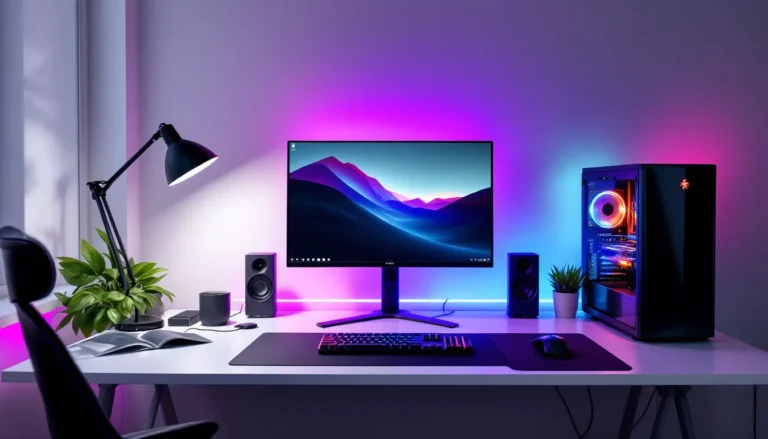
PC gaming creates the most complex posture challenges because of the number of variables involved. Desk height, chair height, monitor distance, monitor height, keyboard angle, and mouse positioning all need to align, and most gaming setups get at least half of these wrong.
The typical mistake is monitors positioned too low. Most desk-mounted monitors sit below optimal eye level, forcing gamers to tilt their heads down. Over hours of play, this creates massive strain on the neck extensors. Your monitor’s top edge should align roughly with eye level when you’re sitting with proper posture, not when you’re already slouched.
Keyboard and mouse positioning matters more than most players realize. If your keyboard is too high (common with thick gaming desks), your shoulders elevate to compensate, creating sustained tension. If your mouse is too far away, you’ll reach forward, collapsing your shoulder position. The ideal setup has your elbows at roughly 90 degrees when your hands are on your keyboard and mouse, with your shoulders relaxed and down.
Multi-monitor setups multiply these issues. Side monitors encourage sustained neck rotation. Vertical stacked monitors create constant up-and-down head movement. Unless your primary gaming monitor is centered and properly positioned, you’re building asymmetry into every session.
Console Gaming: Couch and TV Distance Issues
Console gaming’s posture problems stem from the couch-and-TV paradigm. Most living room setups position players too far from the screen for comfortable viewing, which triggers the forward lean. Alternatively, players sink into soft couches that provide zero lumbar support, creating the full slouch position.
TV height is typically wrong. Most wall-mounted TVs are positioned for standing viewers or casual watching, placing them too high for gaming. When you game for hours looking up at a TV, you’re extending your neck backward, which is just as harmful as forward head posture, just in the opposite direction.
Couch depth creates the edge-sitting problem. Deep, soft couches don’t provide stable seating for gaming. Players end up perched forward or twisted to one side. Gaming chairs designed for console use exist, but they’re less common than their PC equivalents. The ideal console setup involves a firm chair at proper distance from a TV positioned at eye level, basically PC ergonomics translated to a living room.
Mobile Gaming: Neck and Hand Strain Risks
Mobile gaming might seem less risky because sessions are shorter, but the posture is often worse. “Text neck”, severe forward head flexion while looking down at a phone, can create 60 pounds of force on cervical spine structures. Mobile gamers routinely sustain this position for entire gaming sessions.
Hand and thumb positioning creates unique strain. Holding a phone or tablet requires sustained grip strength and thumb extension for screen tapping. Games like PUBG Mobile or Call of Duty Mobile demand rapid, precise inputs that stress thumb tendons and wrist flexors. Combined with neck flexion from looking down, mobile gaming creates a perfect storm of upper body tension.
Tablet gaming improves some issues and worsens others. Tablets can be propped up to reduce neck flexion, but they’re heavier than phones, creating more arm and shoulder strain if hand-held. Lap positioning for tablets typically creates a hunched posture similar to laptop use. The best mobile gaming posture involves a stand or case that props the device at eye level, but few players use these.
Correcting Your Gaming Posture: The Essential Setup Guide
Optimal Chair Height and Back Support
Chair setup is the foundation of good posture. Start with height: when seated, your feet should rest flat on the floor with your thighs roughly parallel to the ground. If your chair is too high, your feet dangle and your thighs take pressure. Too low, and your knees rise above your hips, creating lower back strain.
Lumbar support needs to fill the natural curve of your lower back. Gaming chairs often include adjustable lumbar pillows, position these so you feel gentle, even pressure across your lower back when sitting upright. If your chair lacks lumbar support, a small rolled towel or dedicated lumbar cushion works. The key is that leaning back should feel natural and supportive, not like you’re reclining away from your desk.
Armrests are controversial among gamers, but used correctly they reduce shoulder strain. Position armrests so your elbows rest lightly with shoulders relaxed. They shouldn’t lift your shoulders or force your arms outward. Many competitive players remove armrests entirely to allow more arm movement, which is fine if you maintain good shoulder position.
The backrest angle matters. A slight recline of 100-110 degrees is ideal, not bolt upright, but not reclined either. This position distributes your body weight across the backrest while keeping you engaged and ready to play. Detailed analysis from monitor and chair testing shows that proper seating positions significantly reduce fatigue during extended use.
Monitor and Screen Positioning for All Platforms
Monitor distance should be roughly an arm’s length away, about 20-30 inches for most people. Extend your arm fully: your fingertips should nearly touch the screen. This distance allows comfortable focus without leaning forward or straining your eyes.
Height is critical. The top of your monitor should align with or sit slightly below eye level when you’re seated with good posture. This allows your gaze to angle slightly downward, which is the natural resting position for eyes and reduces strain. For multiple monitors, position your primary gaming monitor directly in front of you, with secondary monitors angled slightly inward.
For console gaming, apply the same principles to TV positioning. If your TV is wall-mounted too high, lower it or adjust your seating. Some competitive console players actually use gaming monitors instead of TVs, sitting at desks for better ergonomics and reduced input lag.
Mobile and tablet gamers need stands or cases that prop devices at eye level. Holding devices in your lap guarantees terrible neck posture. A simple tablet stand on a desk or table transforms mobile gaming posture from harmful to manageable.
Keyboard, Mouse, and Controller Ergonomics
Keyboard positioning impacts your entire upper body. Place your keyboard directly in front of you with the bottom row of keys (spacebar level) at roughly elbow height. Your wrists should remain neutral, not cocked up, down, or to either side. Many gaming keyboards include feet to angle the back up, but this often creates wrist extension: consider keeping them flat or angling slightly down.
Mouse placement should allow your arm to move from the shoulder and elbow, not just the wrist. Keep your mouse close enough that you don’t reach forward. Your mouse hand elbow should maintain that 90-degree angle with your shoulder relaxed. Lower mouse sensitivity requires more arm movement but often results in better ergonomics than high-sensitivity wrist-flicking, assuming you have adequate desk space.
For controller players, arm positioning matters. Elbows should stay close to your body rather than flared out. Wrists should remain neutral, not twisted to grip the controller. Taking breaks to shake out hands and rotate wrists prevents the sustained tension that builds during competitive matches.
Keyboard tilt and wrist rests deserve special mention. Negative tilt (front higher than back) is generally better for wrist positioning than positive tilt. Wrist rests should support your palms during breaks, not provide a constant resting surface while typing or gaming, that creates sustained pressure on the carpal tunnel area.
Exercises and Stretches to Combat Gaming Posture Damage
Quick Stretches for Between Matches
The neck retraction stretch counters forward head posture. Sit upright and gently pull your chin straight back, creating a “double chin” appearance. Hold for 5-10 seconds. This activates deep neck flexors and stretches the overworked neck extensors. Do this between rounds or during loading screens.
Shoulder blade squeezes address rounded shoulders. Pull your shoulder blades back and down, squeezing them together like you’re trying to hold a pencil between them. Hold for 5 seconds, release, repeat 10 times. This activates the mid-back muscles that oppose the rounded shoulder position.
The doorway chest stretch opens up collapsed chest muscles. Stand in a doorway with your forearm against the frame, elbow at 90 degrees. Step forward until you feel a stretch across your chest and front shoulder. Hold 30 seconds each side. This is perfect during queue times or lobby waits.
Wrist circles and finger extensions combat mouse and keyboard tension. Make slow circles with your wrists, 10 each direction. Then spread your fingers wide, hold for 5 seconds, make a fist, and repeat. Simple but effective between matches.
The seated spinal twist addresses asymmetry. Sit upright, place your right hand on your left knee, and gently twist left, looking over your left shoulder. Hold 20 seconds, repeat other side. This mobilizes your spine and counters sustained rotation from off-center monitor viewing.
Strengthening Exercises for Long-Term Posture Health
Wall angels build the strength to maintain good posture. Stand with your back against a wall, feet slightly forward. Press your lower back, upper back, and head against the wall. Raise your arms into a “goal post” position and slowly slide them up and down the wall, maintaining contact. Do 10-15 reps daily. This strengthens the exact muscles needed to counter gaming posture.
Prone cobra strengthens the entire posterior chain. Lie face-down with arms at your sides, palms down. Lift your chest and arms off the ground, squeezing your shoulder blades together and rotating your thumbs up. Hold 10-15 seconds, repeat 5-10 times. This directly counters the hunched position.
Plank variations build core stability that supports proper sitting posture. A strong core means less reliance on passive structures (like chair backs) and better muscular endurance for maintaining position. Start with 30-second planks, work up to a minute or more.
Face pulls (using resistance bands) are excellent for gamers. Attach a band at face height, pull it toward your face while squeezing your shoulder blades together. This strengthens rear deltoids and mid-back muscles. Aim for 3 sets of 15-20 reps several times weekly.
Hip flexor stretches address the sitting position’s impact on hip mobility. Kneel on one knee (like proposing), keep your torso upright, and gently shift your weight forward until you feel a stretch in the front of your back leg’s hip. Hold 30 seconds each side. Tight hip flexors pull your pelvis forward and collapse your lower back posture.
Building Healthy Gaming Habits for Marathon Sessions
The 20-20-20 Rule and Other Break Strategies
The 20-20-20 rule addresses eye strain: every 20 minutes, look at something 20 feet away for 20 seconds. This breaks the sustained near-focus that creates eye fatigue. Set a subtle timer or use software that reminds you. It sounds simple, but it works, your eyes need that focal distance variation.
Movement breaks should happen every 45-60 minutes. Stand up, walk around, do a few stretches. Competitive players often resist this because they don’t want to leave queue or miss match invites. The compromise is using queue times, loading screens, and post-match lobbies as micro-break opportunities.
The Pomodoro technique adapted for gaming involves 50 minutes of play followed by 10-minute breaks. During that 10 minutes, completely step away from your setup. This isn’t just about posture, it’s about preventing the mental lock-in that makes you ignore physical discomfort signals.
Hydration breaks serve double duty. Drinking water regularly forces bathroom breaks, which are natural movement interruptions. Keep water at your desk and actually drink it. Dehydration reduces disc hydration in your spine, making you more susceptible to posture-related pain.
Creating Posture Reminders and Accountability Systems
Posture check apps and software can prompt you to evaluate your position. Some gaming overlays include posture reminders. The key is making them noticeable but not intrusive, you want a gentle nudge, not a mid-match disruption.
Physical cues work well. Some gamers tape a small note to their monitor: “Sit back.” Others set hourly phone alarms with posture check reminders. The external trigger helps because you’ll naturally drift into bad positions when focused on gameplay.
Accountability partners in your gaming group can help. Make it a mutual thing, check each other’s posture on voice chat, remind each other to take breaks. This works especially well for duos or regular squads who play together consistently.
Webcam feedback for streamers is an unintentional posture tool. Seeing yourself on stream makes posture problems obvious. Even non-streamers can set up a small mirror or phone camera to periodically check their position. Visual feedback is powerful.
Gradual implementation is crucial. Don’t try to fix everything at once. Start with one change, maybe chair height or monitor position, and live with it for a week. Then add another adjustment. Trying to overhaul your entire setup and habits simultaneously usually fails. Build the foundation first, then layer in additional improvements.
Tracking your progress helps maintain motivation. Keep a simple log of pain levels or posture quality over weeks. When you see improvement, it reinforces the habits. When you don’t, it helps identify what’s not working.
Conclusion
Bad gaming posture isn’t just a comfort issue, it’s a performance limiter and a long-term health risk that too many gamers ignore until the damage is done. The forward lean, the rounded shoulders, the hours spent locked in tension during ranked grinds, all of it adds up. But the fix isn’t complicated, and it doesn’t require abandoning your current setup entirely.
Start with the fundamentals: chair height, monitor position, and actually using your backrest. Build in breaks and stretches between matches. Pay attention to what your body is telling you instead of pushing through every ache and stiffness signal. The exercises and adjustments outlined here aren’t theoretical, they’re the same approaches competitive players and esports athletes use to extend their careers and maintain peak performance.
Your setup should support you, not fight you. Whether you’re grinding ranked, streaming for hours, or just enjoying your favorite games, proper posture is what allows you to do it sustainably. Fix it now, and you’ll still be gaming comfortably years from now. Ignore it, and you’re looking at chronic pain, reduced performance, and potentially serious musculoskeletal issues that don’t just go away when you log off.